
Online PDF tools
for everyday documents
Merge PDFs, extract the pages you need or convert documents to another format. Choose a tool below to get started.
What do you need to do?
10 toolsConvert from PDF


Create a PDF


Combine, split and compress


An application and its attachment. One PDF to send.
Put the application first and the attachment next. NuBox combines the pages into one PDF in your chosen order.
Merge PDF Download the sample · PDF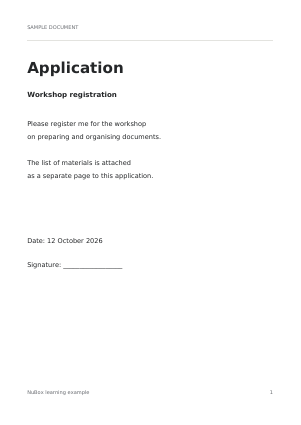 Application
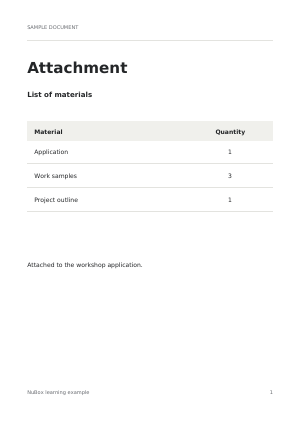 Attachment
Have a task in mind?
Application + attachments
Combine separate PDFs in the order they should be read.
Receipts in one file
Collect receipt photos in a PDF, one image per A4 page.
Just pages 3–7
Save the page range you need as a separate PDF in a ZIP archive.
Practical PDF guides
Put PDF attachments in the right order
Combine a cover letter, form and supporting documents into one PDF. Check the order and page count before sending it.
Read the guideSplit a PDF using page ranges
Enter 1-3, 8-10 to create two PDFs in a ZIP. Count from the first page of the file, including covers and blank pages.
Read the guideMake one PDF from receipt photos
Put each JPG or PNG on its own A4 page. Choose portrait or landscape, then check that small receipt text is readable.
Read the guide All guidesQuestions and answers
Which files can I upload?
Each tool lists its supported formats. Files can be up to 25 MB each. Merge PDF accepts 2–10 PDFs; JPG to PDF accepts 1–10 JPG or PNG images. Other tools accept one file at a time. Input PDFs can contain no more than 500 pages in total.
Are my files uploaded to NuBox?
Files are stored only temporarily. Input files are deleted when processing finishes, and the result is deleted after the server sends your download. Undownloaded results and leftover temporary files are removed by cleanup, which runs every five minutes for files older than 30 minutes. Keep your originals.
What can change during conversion?
Layout, fonts, images and interactive features can change. Each tool explains what to check in the finished file. Keep your original and review the result before using it.